
Welcome Message
Welcome Messages are an useful feature in Carrick Health that allows you to engage with new contacts effectively. These messages are automatically sent to individuals who reach out to you for the first time and are not already listed in your Carrick contact list. This document provides a step-by-step guide on how to set up and manage your Welcome Messages.
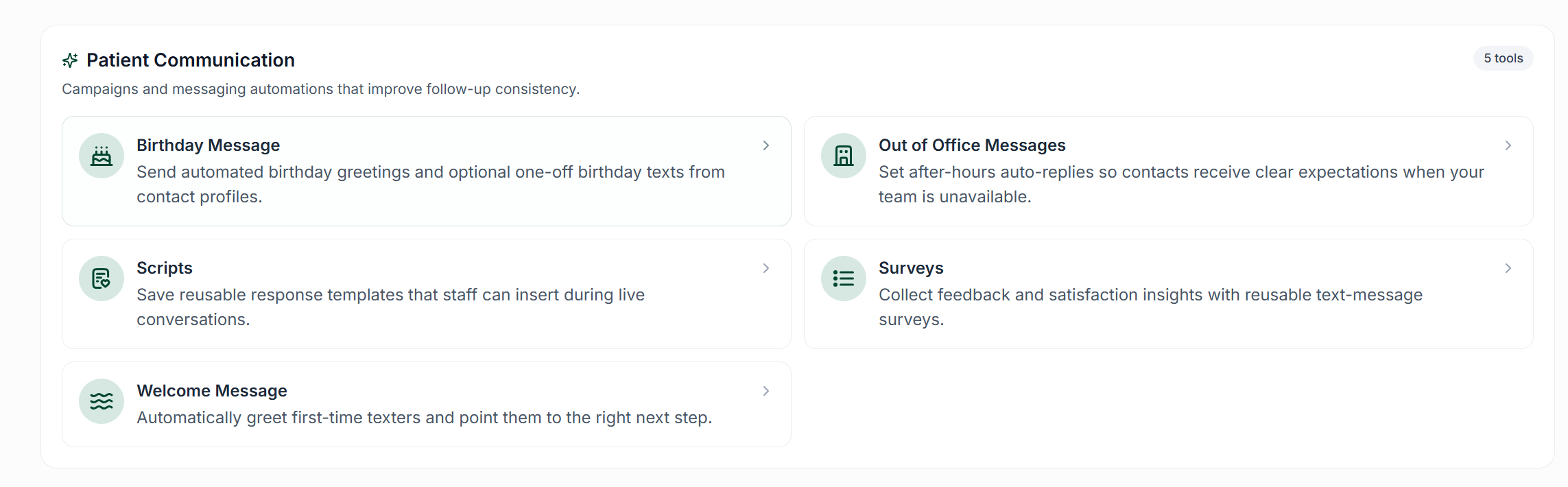
How to Set Up a Welcome Message
To configure your Welcome Message, follow these steps:
Navigate to the Workflows page from the left navigation pane.
Select the Welcome Message option.
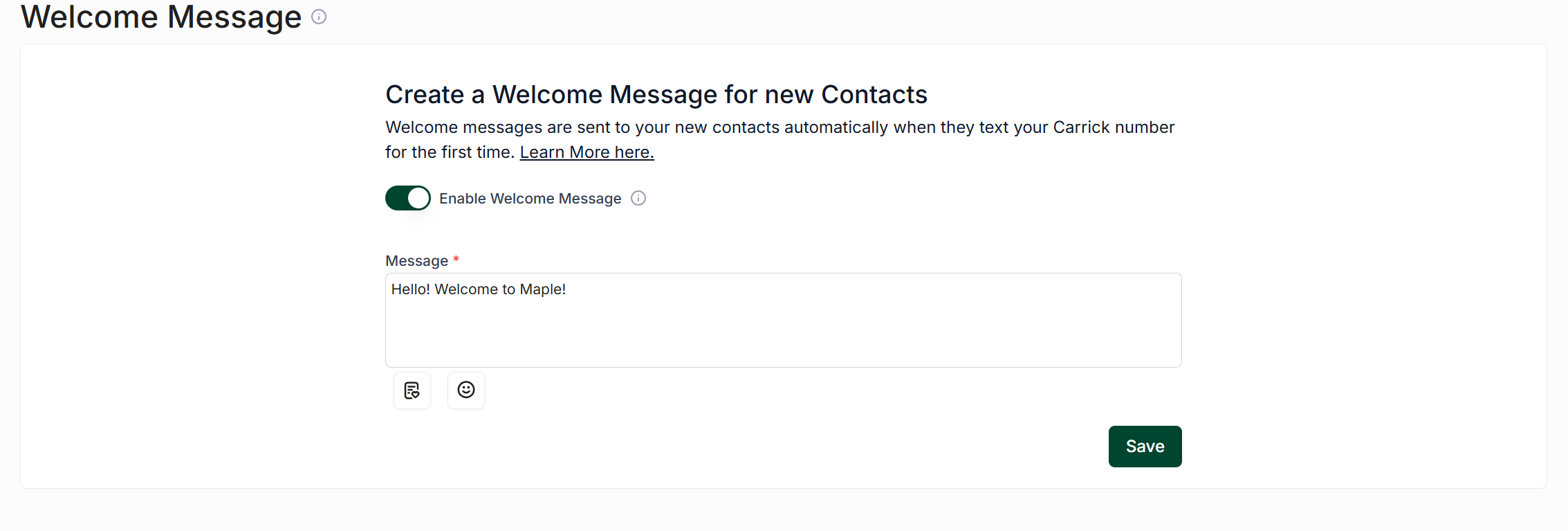
In the provided text box, enter the message you would like to send to new contacts. You can enhance your message by using the buttons below to add scripts or emojis.
Once you are satisfied with your message, click the Create/Save button to save it.
Important Note
Please be aware that if Welcome Messages are enabled, automated responses such as bots that handle incoming messages from non-contacts, temporary away messages, and out-of-office messages will not be triggered for first-time texters.