
Mass Broadcasts
Mass Broadcasts are an effective tool for reaching large groups of individuals. This guide outlines the steps necessary to create and send a Mass Broadcast, ensuring that your messages effectively reach your intended audience.
Step 1: Navigate to the Broadcasts Page
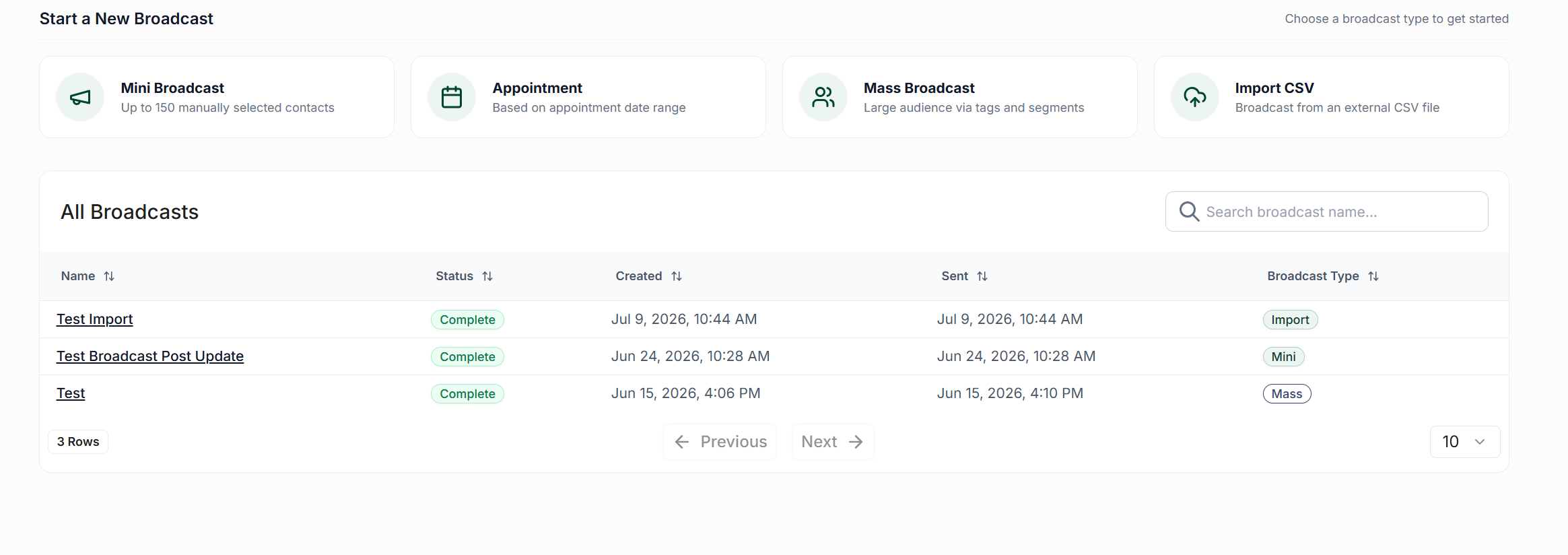
To begin, access the Broadcasts page from the left-hand navigation pane. At the top of the page, click on the button labeled Create a Mass Broadcast.
Step 2: Compose Your Message
In this step, you will need to provide a name for your broadcast. Please note that this name will not be visible to your audience. Next, write your message in the designated text box.
Utilize the toolbar to:
Add links, emojis, template fields, scripts, or images.
Check the number of SMS credits that will be used per contact (located at the bottom right).
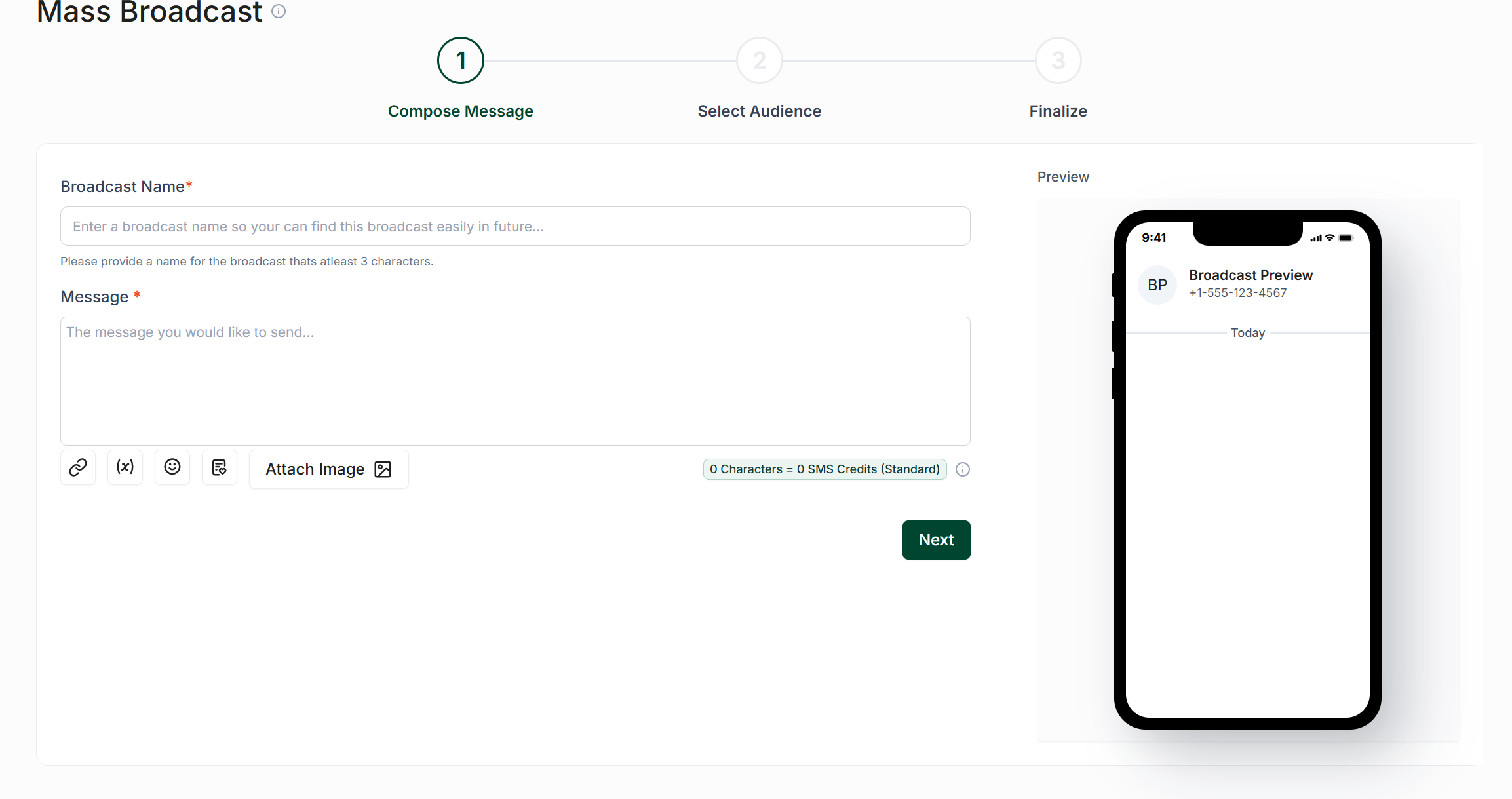
Once you are satisfied with your message, click Next.
Step 3: Select Your Audience
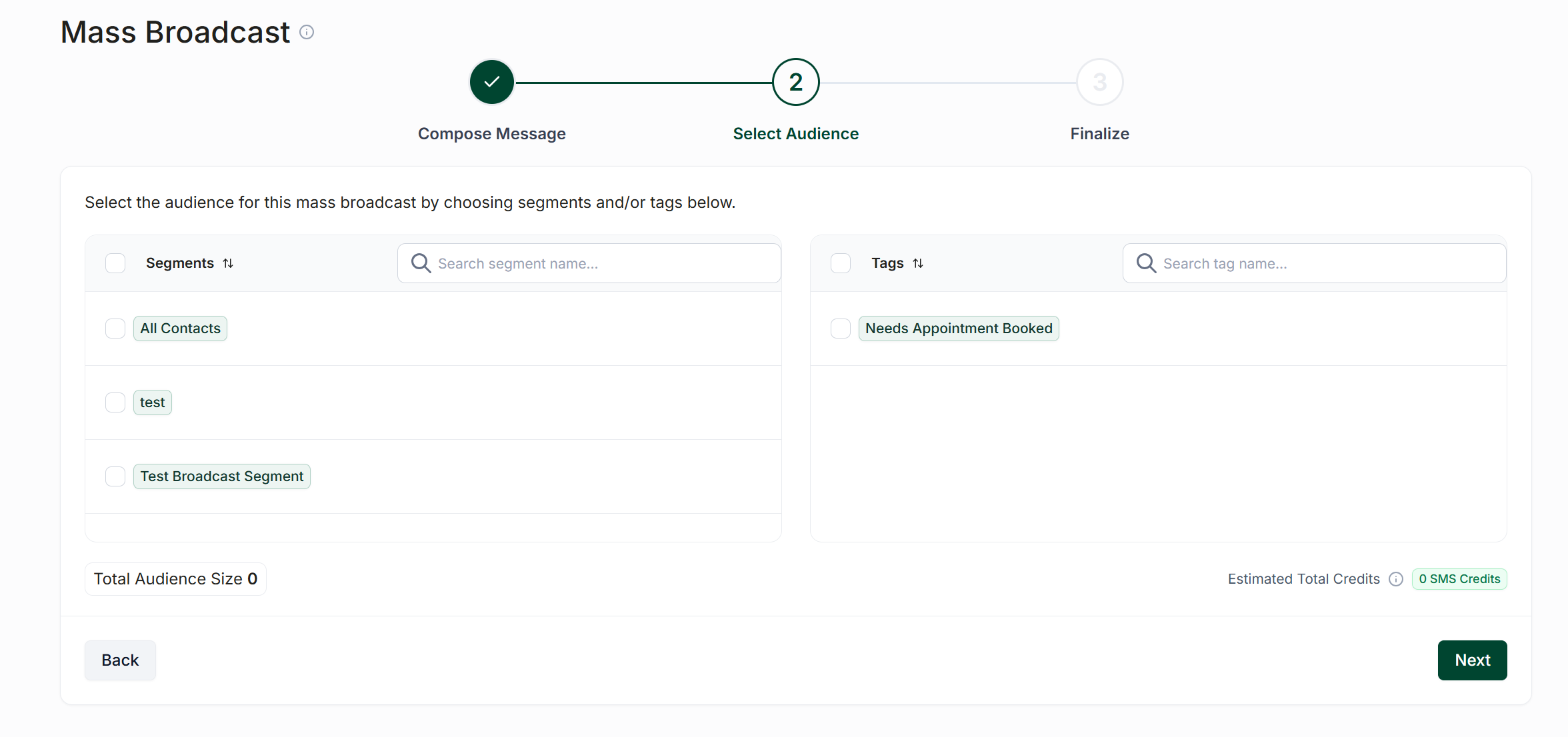
In this step, you will choose your audience by selecting from your available Tags and/or Segments. You have the flexibility to mix and match these options as needed.
If a contact is included in more than one selected group, rest assured that they will only receive the message once. After making your selections, click Next.
Step 4: Finalize & Send
Before finalizing your broadcast, you must decide whether to send the message to all contacts at once or to distribute it in batches. To do this, click the button labeled Batch Send and specify the number of contacts to include in each batch, as well as the duration in minutes between each batch message being sent.
At this stage, you will also:
Preview your message.
Select a send time (immediate or scheduled for later).
View the estimated completion time for full delivery.
(Optional) Send a sample message to yourself.
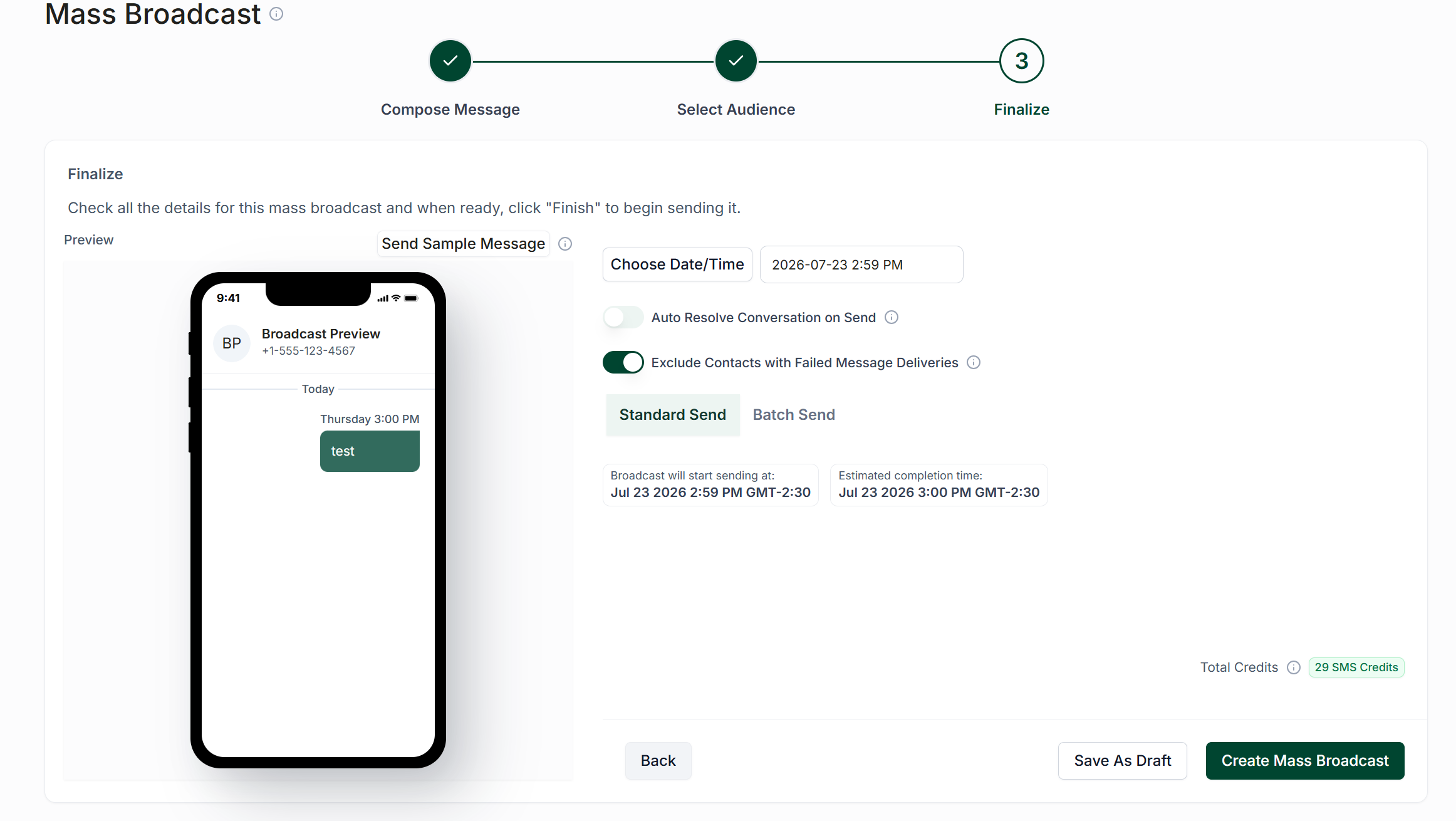
Once you have completed these steps, click Next, then select Start Broadcast to launch or schedule your message.