Routing Rules
This document provides a comprehensive overview of the inbound call routing rules within Carrick Health's system. It outlines how to enable inbound call policies, configure call handling options, and set up business-hours schedules to ensure efficient management of incoming calls.
Understanding Routing Rules
Routing rules are essential for determining whether your users can receive inbound calls and how those calls are managed. You have the ability to establish an inbound call policy, define entry points for calls, implement fanout strategies, set fallbacks, and enable business-hours schedules.
Accessing Phone Configuration
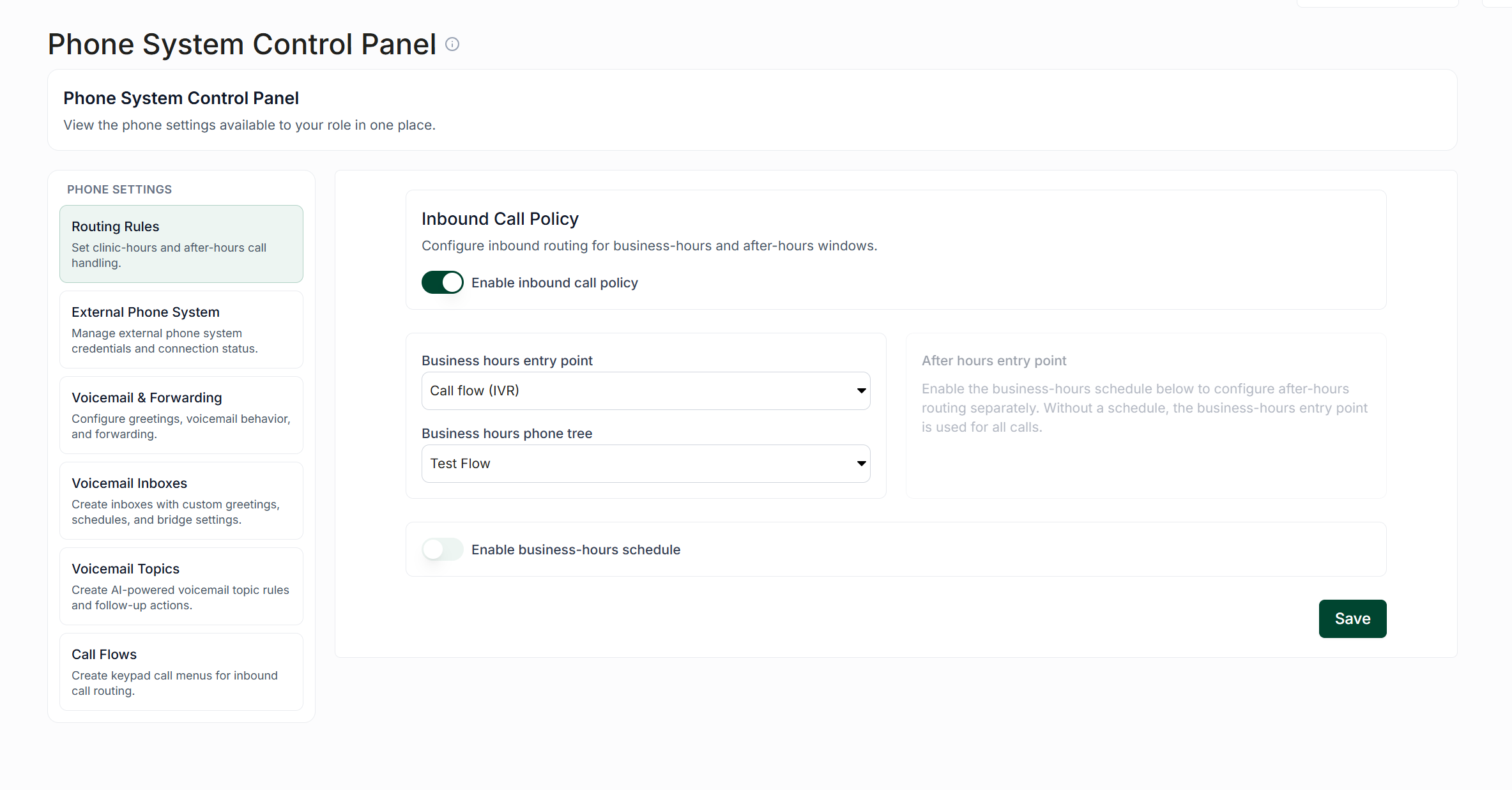
To configure routing rules, navigate to the left-hand sidebar and select "Workflows". Scroll to the bottom of the page and click on "Phone Configuration." This action will initially direct you to the "Voicemail & Forwarding" tab. From there, proceed to the "Routing Rules" tab.
Enabling Calls
To allow your users to receive calls, you must click on "Enable Inbound Call Policy." Activating this toggle will enable the remaining elements necessary for configuring call handling. If this feature is not enabled, all inbound calls will be managed by the existing voicemail and forwarding settings.
Configuring Call Handling
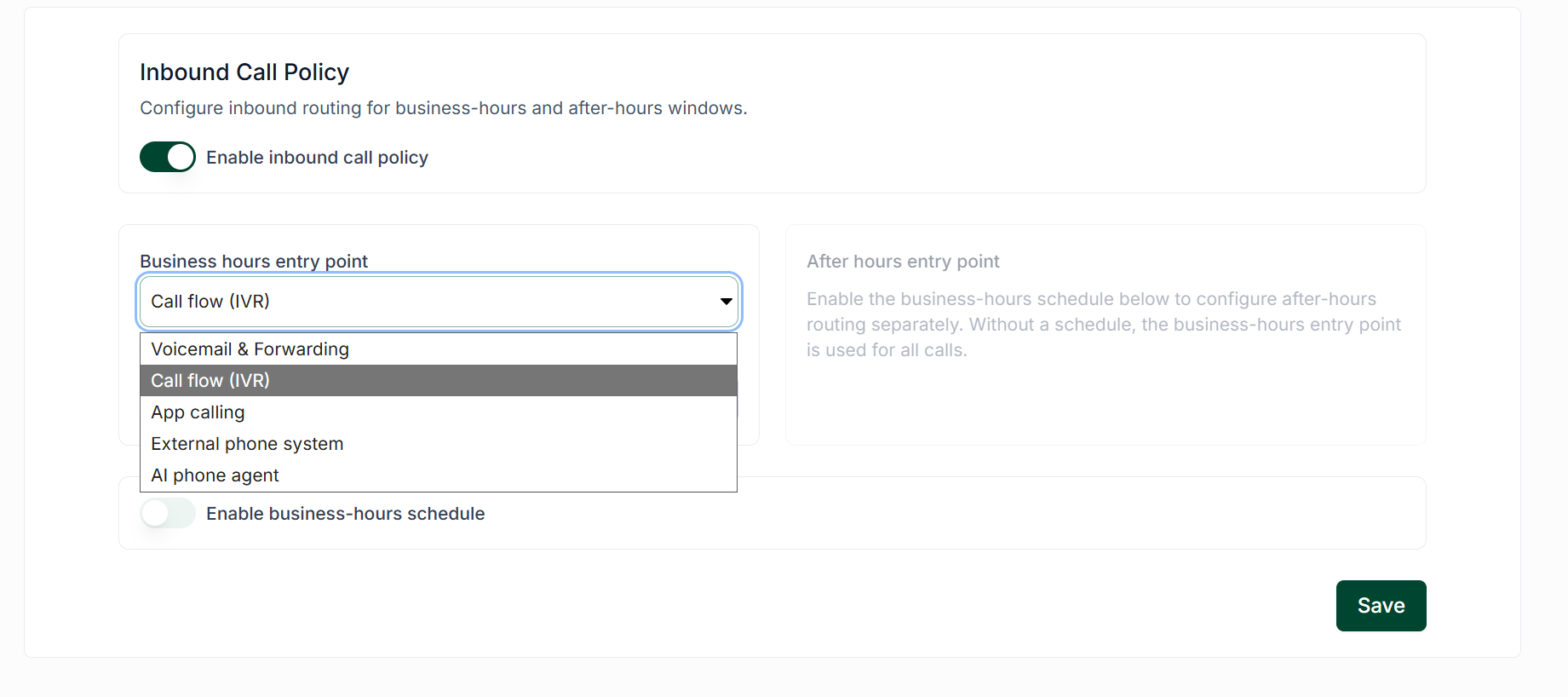
Once inbound calls are enabled, the next step is to determine how these calls will be received and handled. The most critical factor is the business hours entry point, which dictates how calls are processed. The available options are as follows:
Voicemail & Forwarding: Selecting this option will automatically direct calls to your clinic's voicemail or forward them to a designated user.
Call Flow (IVR): This option routes calls to a call flow/tree configured by your users, allowing callers to hear a message and make selections based on their needs (e.g., "Thank you for calling [YOUR CLINIC'S NAME]. Please press 1 for medical, press 2 for labs and imaging, etc.").
App Calling: This is the most commonly selected option. When enabled, users can activate their soft-phone to receive inbound calls within the app. This option works in conjunction with the "Fanout Strategy" dropdown to determine which users will be called.
External Phone System: This option allows you to connect Carrick to your clinic's currently integrated external phone system.
AI Phone Agent: Selecting this option will route inbound calls to configured voice agents.
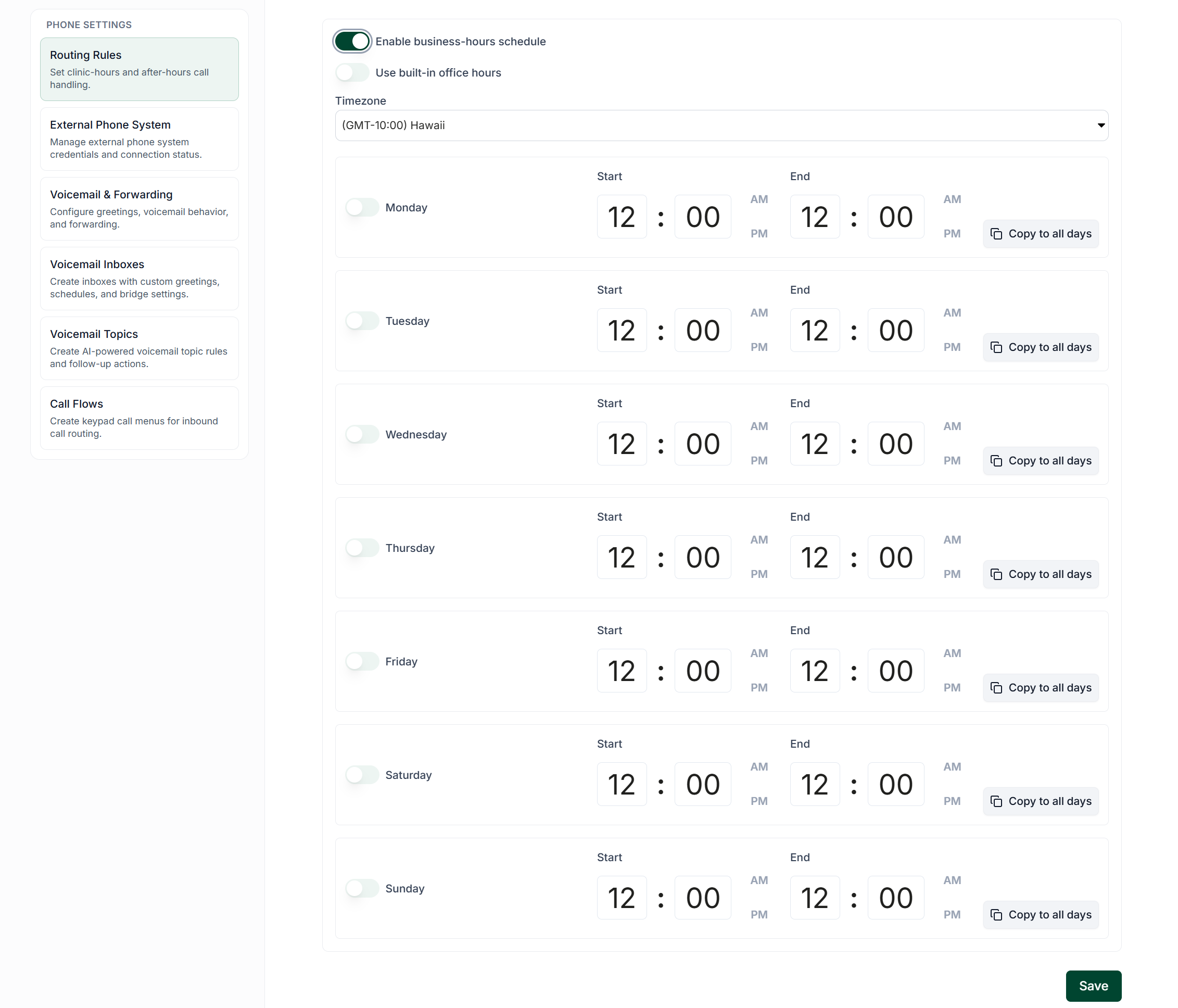
Enabling Business-Hours Schedule
Enabling a business-hours schedule allows you to specify the exact hours during which your clinic can receive calls. Additionally, you can establish rules for handling after-hours calls using the same options available for the business-hours entry point, as detailed above.