Voicemail & Forwarding
This document provides a comprehensive guide on configuring voicemail and call forwarding features within the Carrick Health system. These functionalities allow for efficient management of missed calls, ensuring that callers are directed appropriately and can receive timely follow-ups.
Voicemail and Forwarding Overview
Voicemail and forwarding features enable callers to be directed to specific voicemail inboxes or users, receive text notifications for follow-up calls, or be connected with bots and agents for assistance.
Configuring Voicemail & Forwarding
To set up voicemail and forwarding, follow these steps:
In the left-hand sidebar, navigate to Workflows.
Scroll to the bottom of the page and select Phone Configuration.
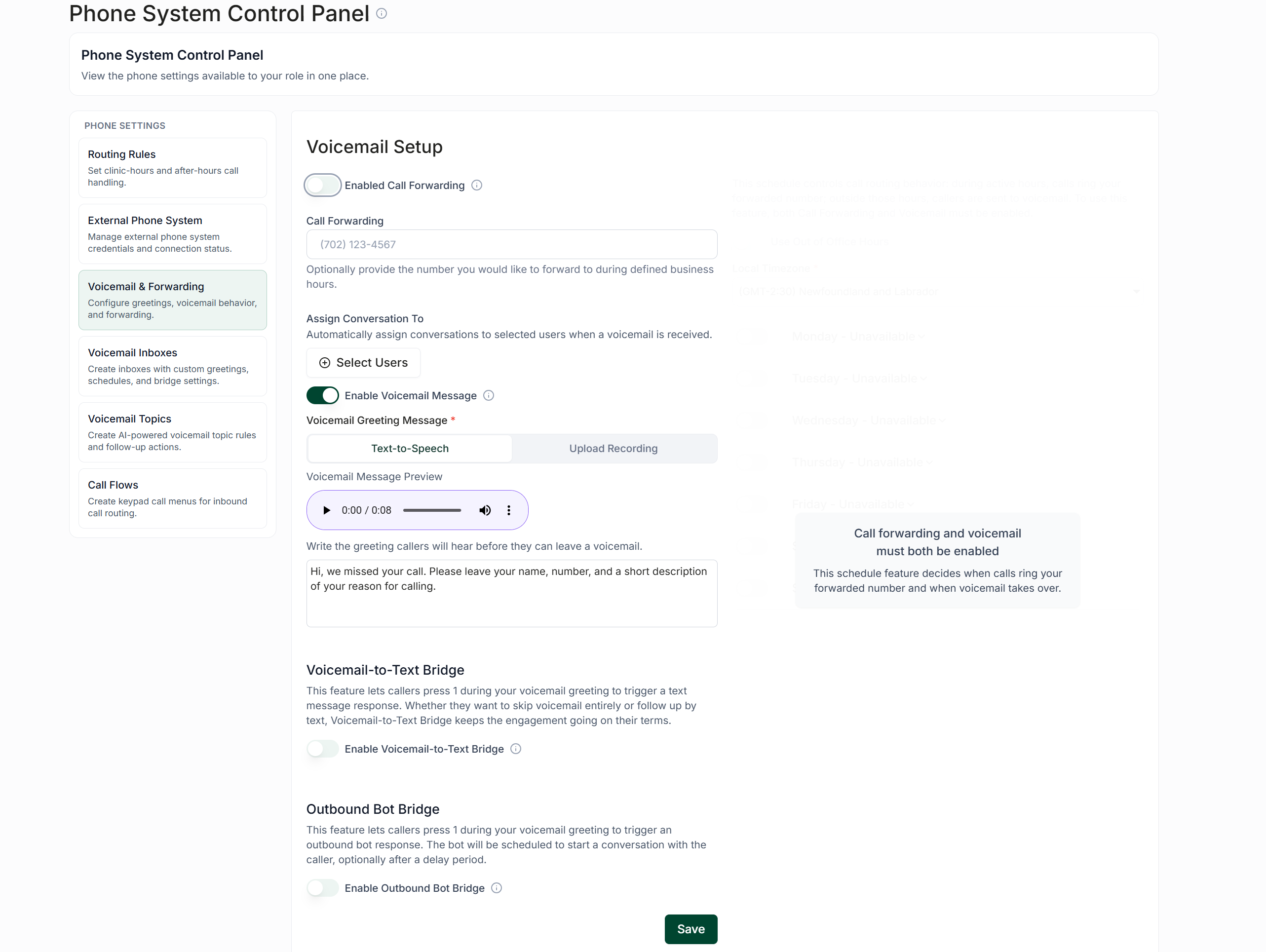
Toggle on Enable Call Forwarding and Enable Voicemail Message.
Enabling call forwarding allows missed calls to be redirected to a separate number from your Carrick number. You can also select specific users who will be automatically assigned to handle these calls.
Enabling voicemail messages allows you to upload recordings or set text-to-speech messages that will be played when calls are missed. For example, you might use a message such as: "Hi, we missed your call. Please leave your name, number, and a brief message on why you called us."
Voicemail-To-Text & Bot Bridges
You have the option to enable either a voicemail-to-text bridge or an outbound bot bridge:
Voicemail-To-Text Bridge: Callers can press 1 during your voicemail greeting to trigger a text message to be sent to a designated user for follow-up on a missed call.
Outbound Bot Bridge: Callers can be connected to a bot that continues the conversation and addresses any needs they may have.
For more information on setting up outbound bots, please refer to the following article: Conversation Bot Overview
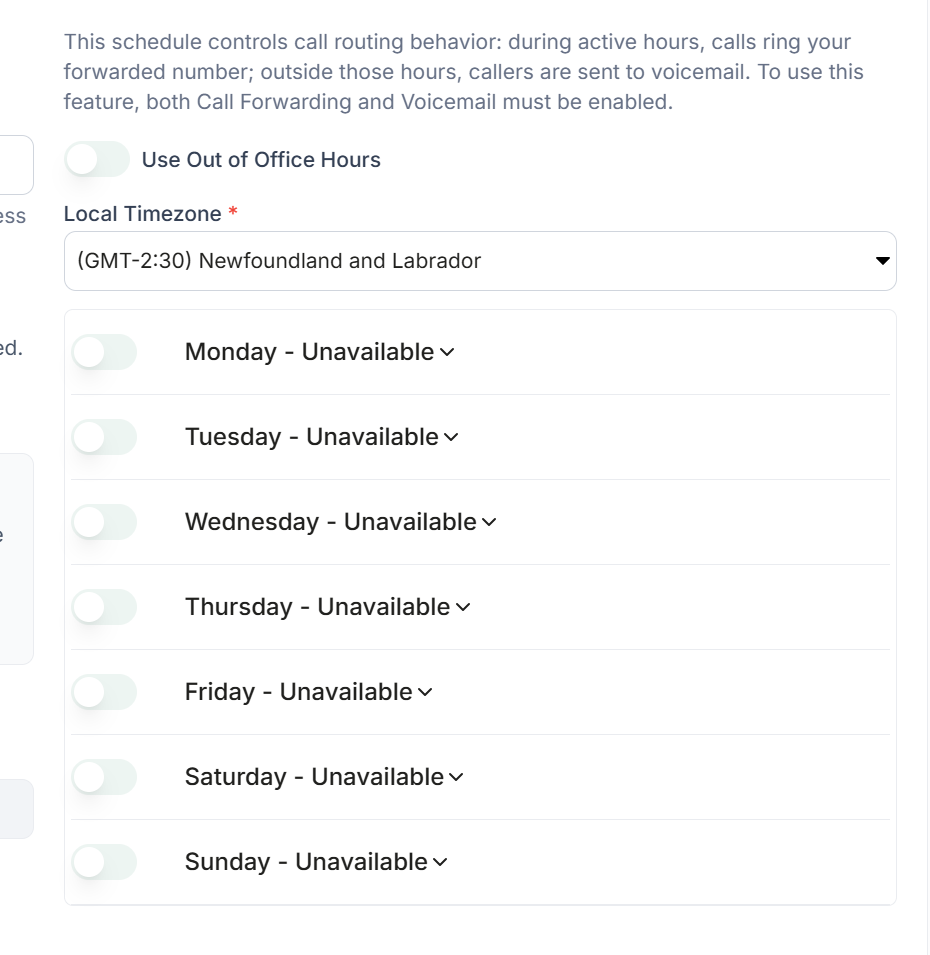
Out Of Office Hours
With both call forwarding and voicemail messaging enabled, you can set active hours during which missed calls will be routed to your forwarding number, and when they will automatically be sent to voicemail. You can establish individual working hours for each day, allowing for easy distinction between weekday hours, altered weekend hours, or closures.