Appointment Types
This document provides a comprehensive guide on how to create and manage appointment types within the Carrick Health system. Appointment types are essential for organizing and assigning specific appointments to physicians, ensuring efficient scheduling and patient management.
Creating Appointment Types
To create a new appointment type, follow these steps:
Navigate to the "Appointments" screen and click the gear icon located at the top of the page.
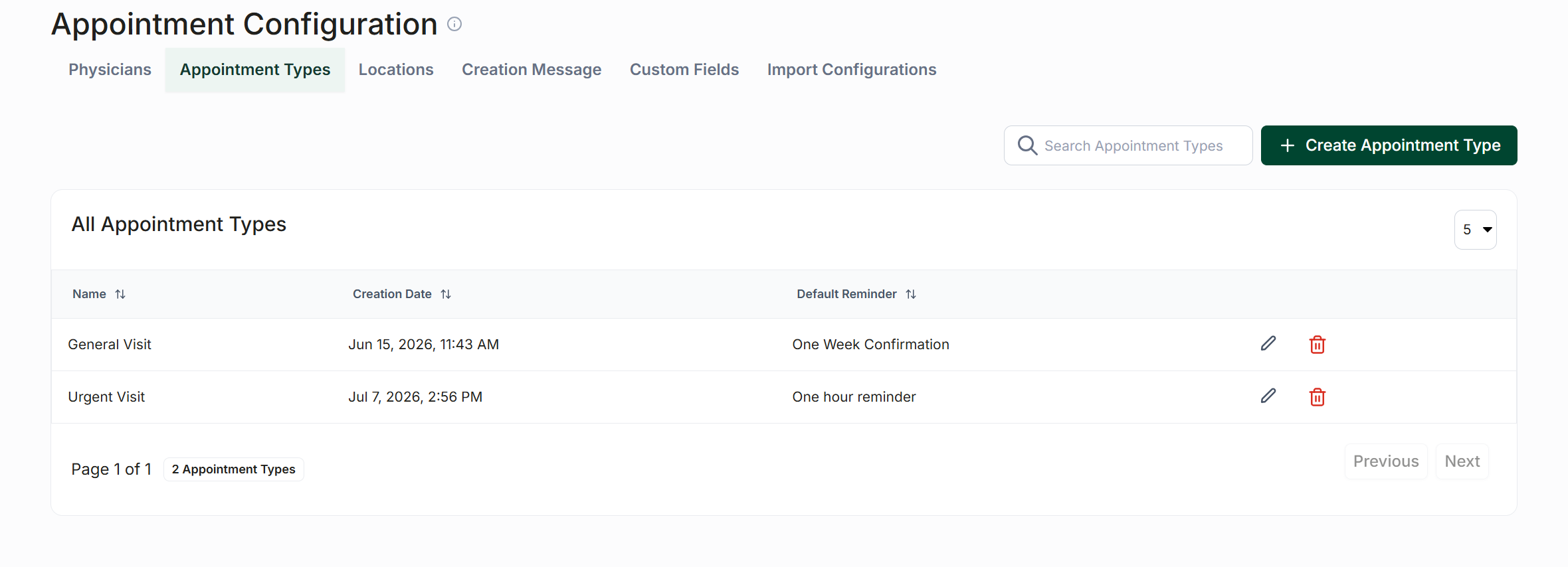
Select "Configure Appointment Settings" to access the "Appointment Configuration" screen.
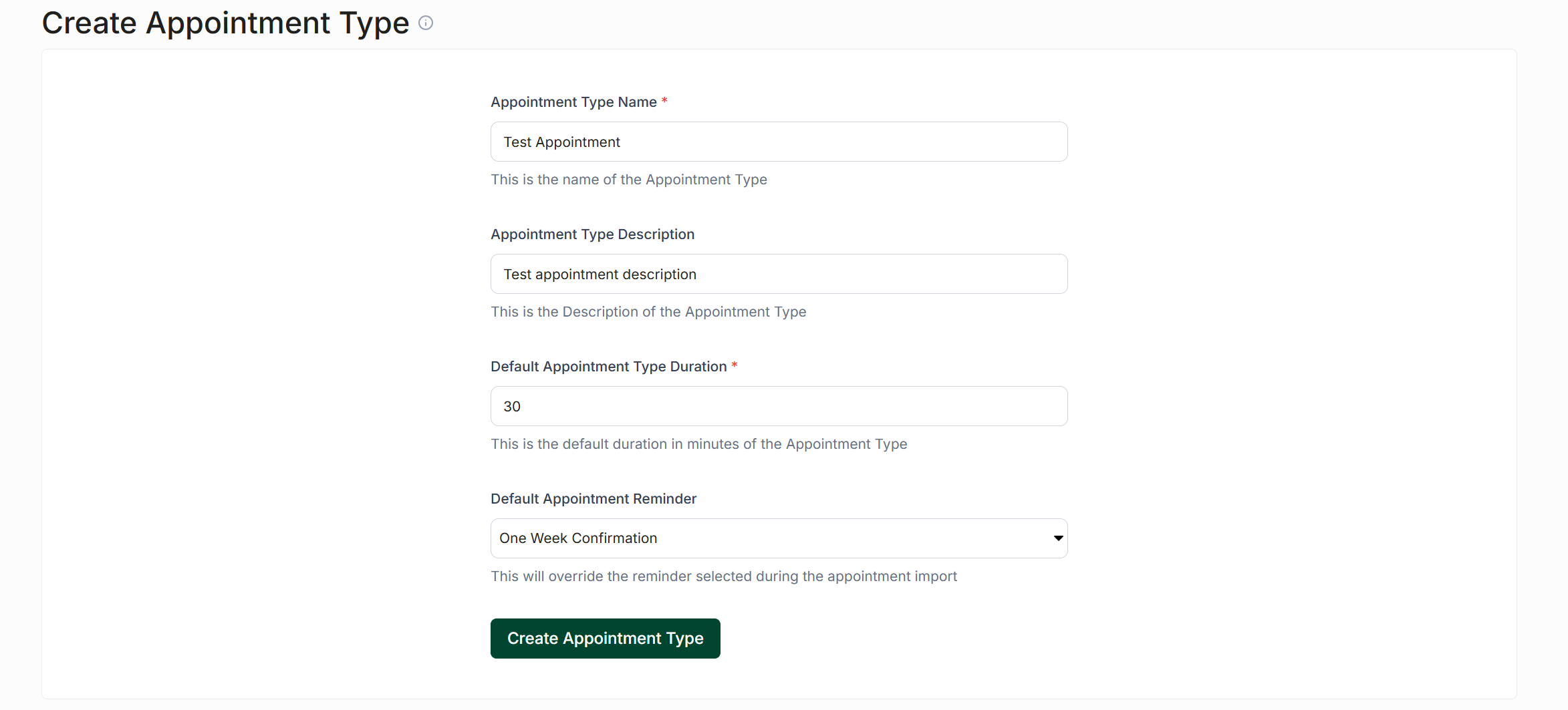
On the top of the page, click on "Appointment Types," then select "Create Appointment Type" located at the top right of the screen.
Enter a name for your appointment type and specify a default duration. Optionally, you can also provide a default reminder and a description for the appointment type.
Once you have filled in the necessary information, click "Submit" at the bottom of the screen to save your new appointment type.
Editing Appointment Types
To edit an existing appointment type, follow these steps:
Locate your newly created appointment type in the "All Appointment Types" tab.
Click the pencil icon next to the appointment type you wish to edit.
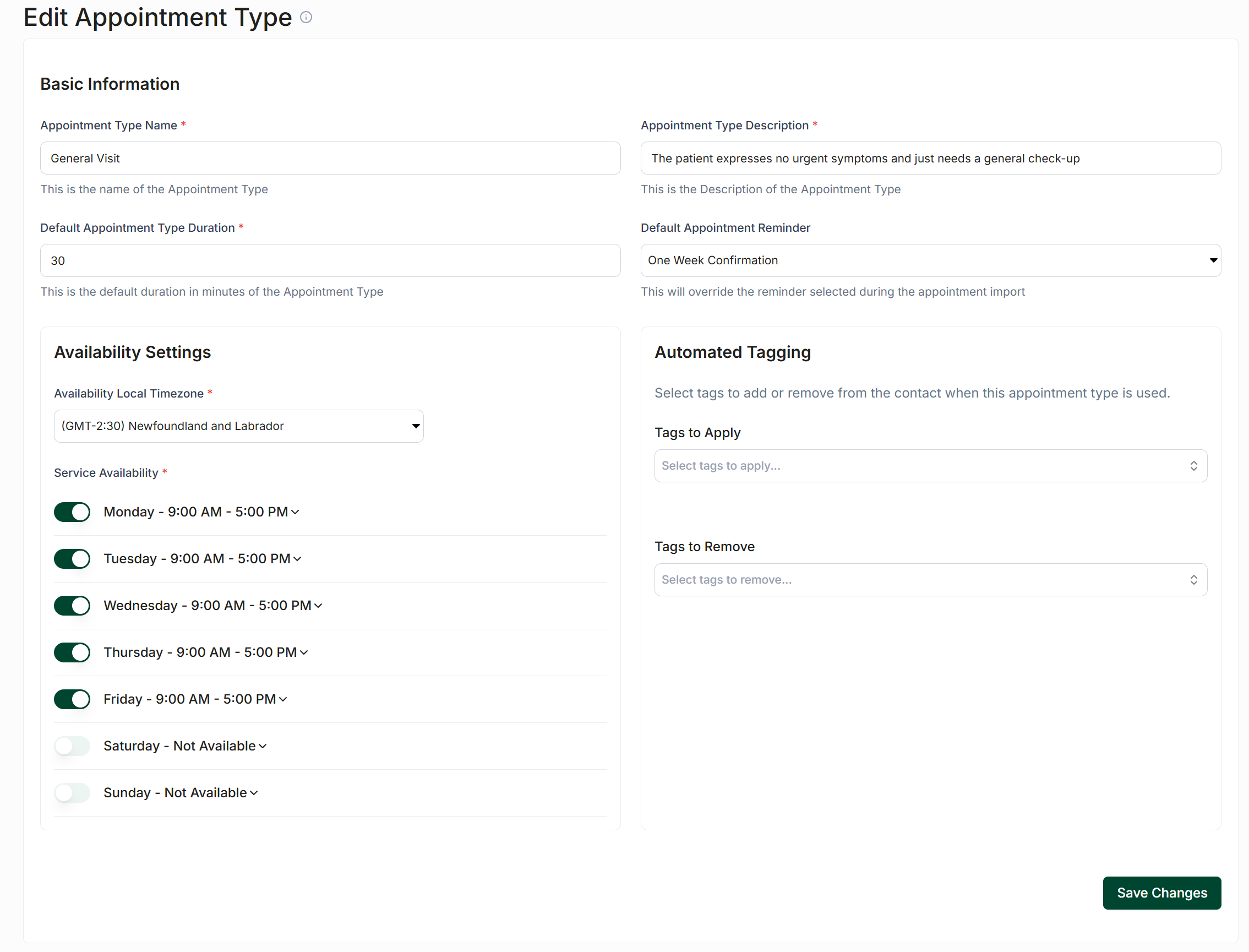
You can modify the name, default duration, availability times, and description of the appointment type.
Additionally, you can change the default reminder associated with this appointment type and set up automated tagging that can be applied to or removed from a patient once the appointment type has been created.