
Creating Appointments
You can create an appointment from the Appointments page or directly from a conversation with a contact.
Create an Appointment from the Appointments Page
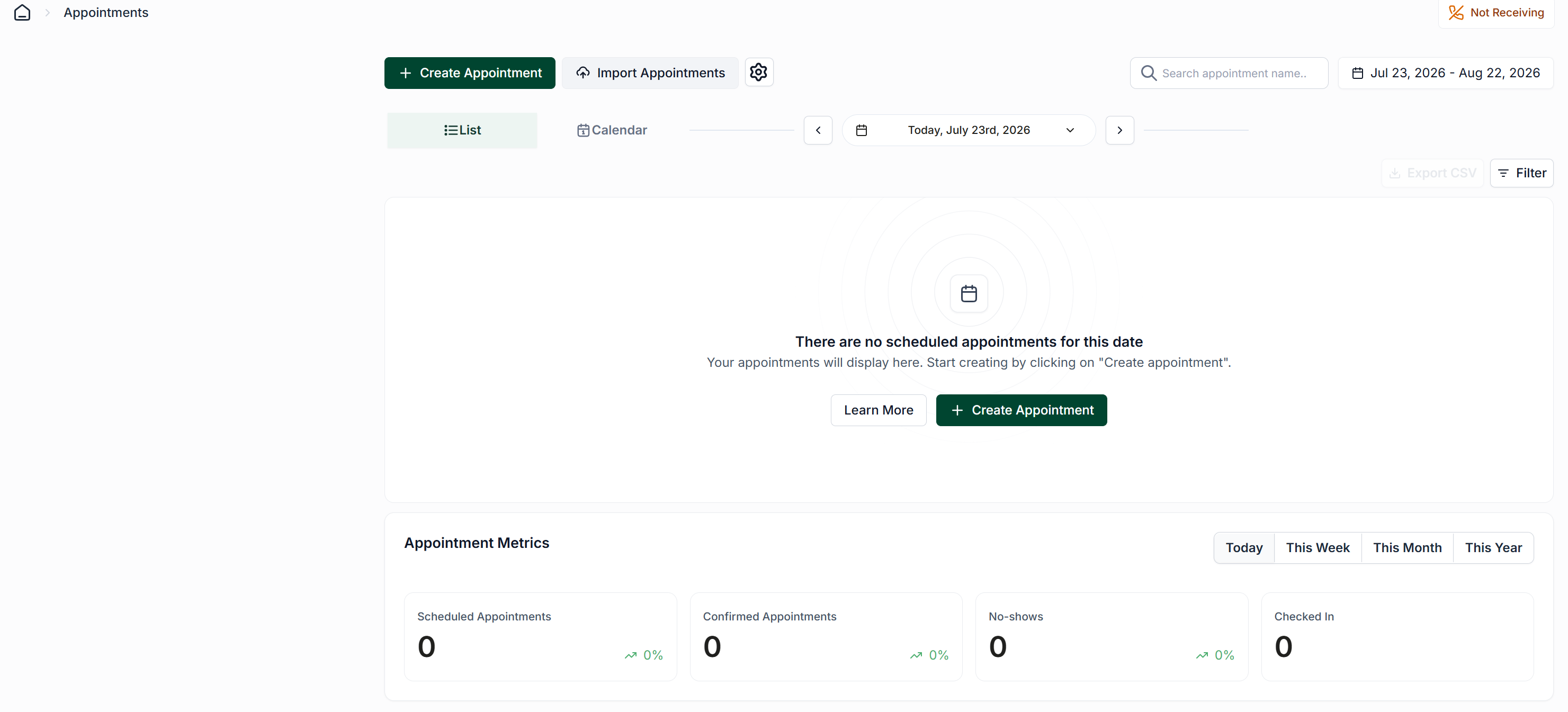
Go to the Appointments page.
Select Create Appointment in the upper-left corner.
Choose whether the appointment is for an existing contact or a new contact.
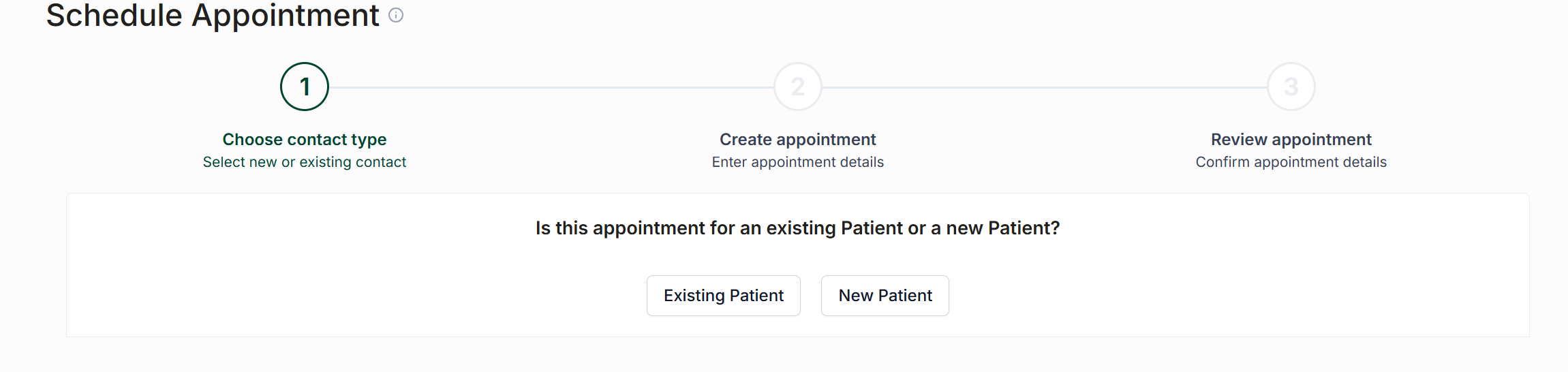
Existing Contact
To create an appointment for an existing contact:
Click the Existing Patient option.
Enter at least the first three letters of the contact’s name.
Select the correct contact from the search results.
New Contact
To create an appointment for a new contact, enter the contact’s:
First and last name
Phone number
Enter the Appointment Details
Complete the required appointment information, including:
Appointment type
Physician or practitioner
Location
Date
Start time
Appointment length
You can also add notes containing any additional information your team may need.
Select an Appointment Reminder
Choose whether to use the Default Appointment Reminder for the appointment.
To use a different reminder, select another available appointment reminder from the list.
The default reminder and any additional reminder templates can be managed through the appointment configuration settings.
Once all appointment details have been entered, save the appointment.
Send an Appointment Creation Message
Checking the box below the appointment reminder drop down will allow you to send an appointment creation message to your selected patient, informing them of their new appointment.
For more information on appointment creation messages, see the following article: Appointment Creation Messages
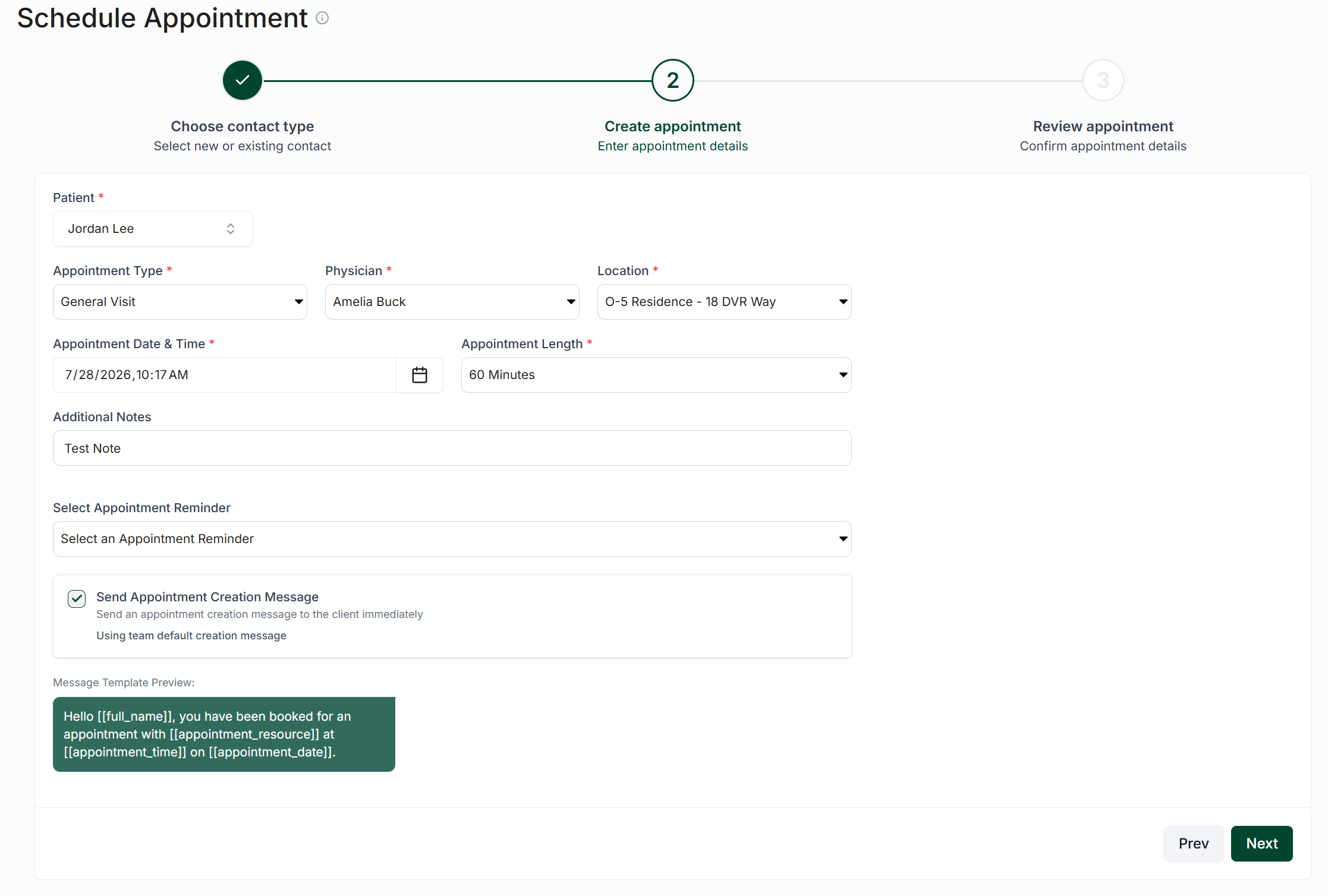
Finalize
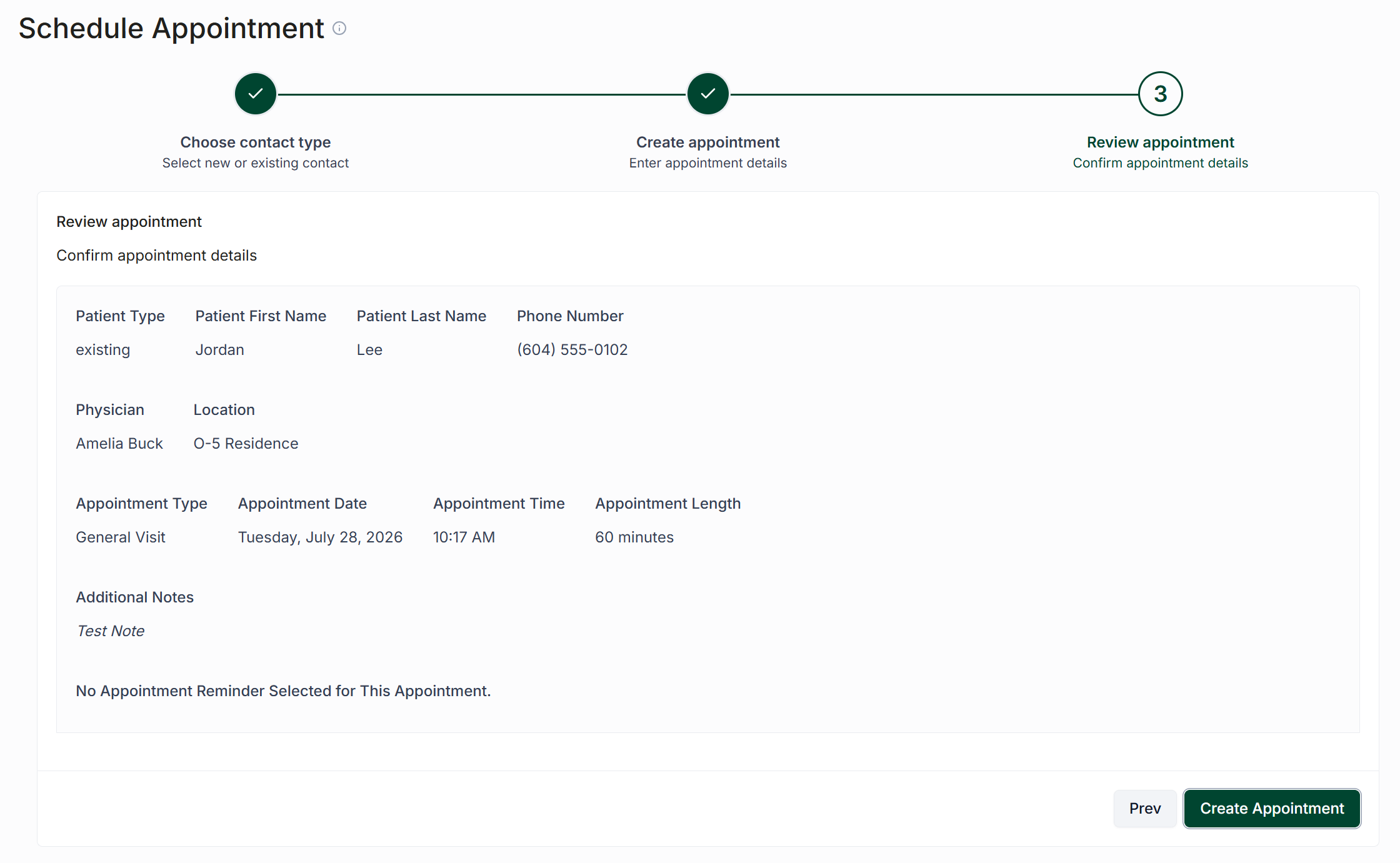
Once you have entered your patient's information, click "Next". This will bring you to the review screen. Ensure all the data is correct, then click "Create Appointment".
Create an Appointment from a Conversation
You can also create an appointment directly from an existing conversation with a contact.
Open the contact’s conversation.
Select the three-dot menu in the upper-right corner.
Choose Create Appointment.
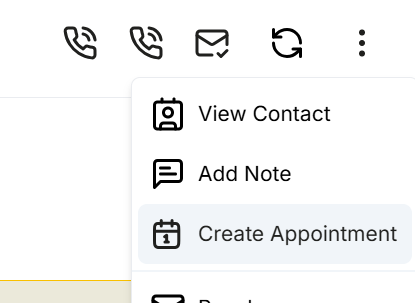
A simplified appointment creation window will open. Because the contact is already selected, you will not need to choose a contact type or search for the contact.
Enter the appointment details, select the appropriate reminder settings, and save the appointment.