
Appointment Creation Messages
In Carrick Health, users have the ability to configure personalized appointment creation messages that are automatically sent to patients upon booking an appointment. This feature enhances communication and ensures that patients are well-informed about their upcoming visits.
Creating Appointment Creation Messages
To create a custom appointment creation message, follow these steps:
Navigate to the "Appointments" screen.
Click the gear icon located at the top of the page.
Select "Configure Appointment Settings" to access the "Appointment Configuration" screen.
Once on the Appointment Configuration screen, proceed to the "Creation Message" tab. Here, you can enter your desired custom message that will be sent to patients when they are booked for their appointments. After entering the message, click "Save" to finalize your changes.
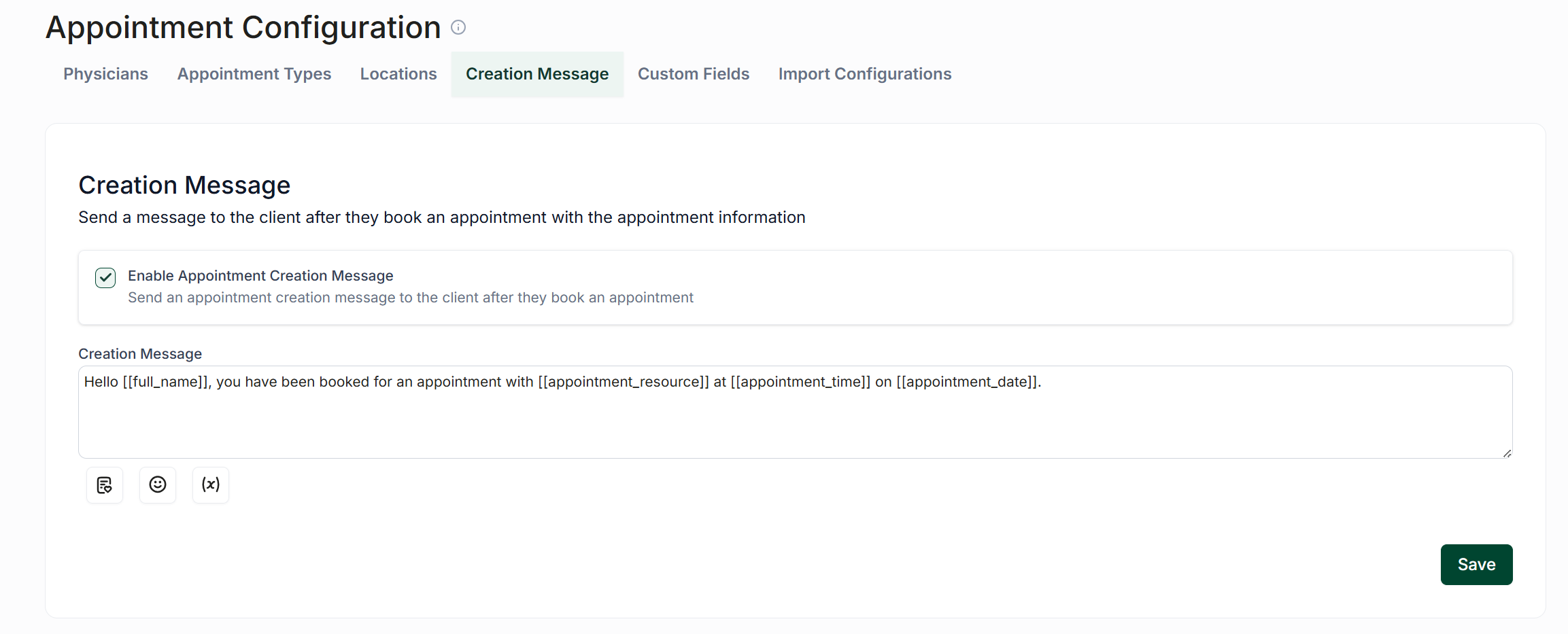
Using Appointment Creation Messages
After creating your appointment creation message, it is essential to enable it for use.
To do this, simply check the box labeled "Send Appointment Creation Message" when you are in the process of creating an appointment. This action will ensure that your custom message is sent to the patient upon booking their appointment.
Additional Resources
For more information on creating appointments, please refer to the following document: Creating Appointments