
Creating a Conversation Bot
This document provides a comprehensive guide on how to create and configure a conversation bot using the Carrick Health platform. By following the steps outlined below, you will be able to set up your bot effectively, ensuring it meets your specific needs.
Getting Started
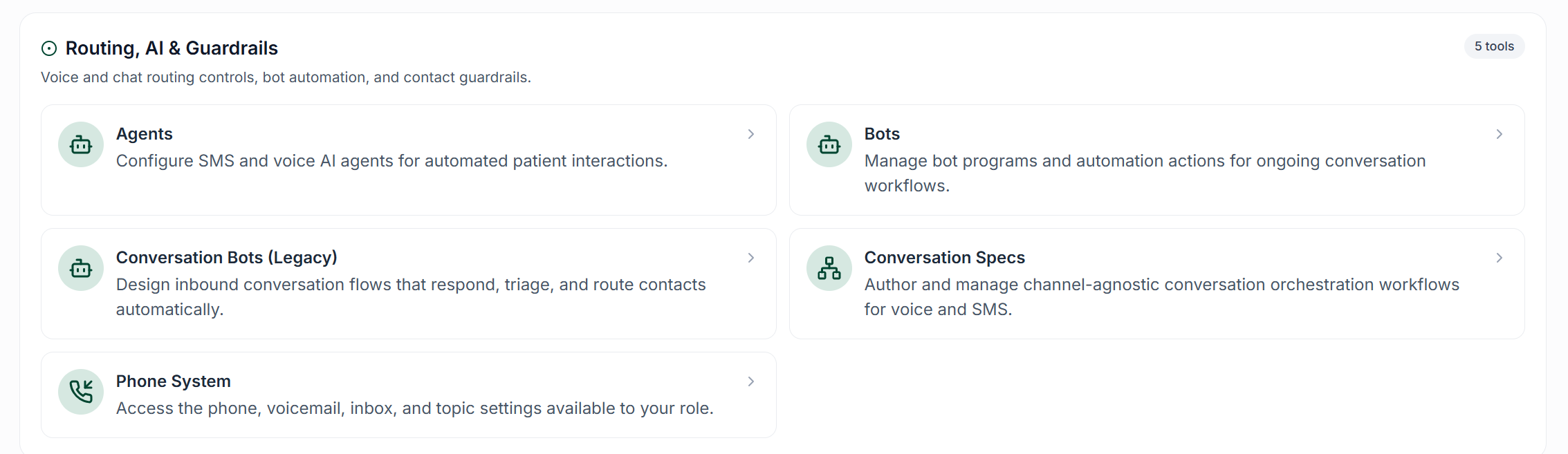
To begin creating a conversation bot, navigate to the Workflows page and click on the Conversation Bot button.
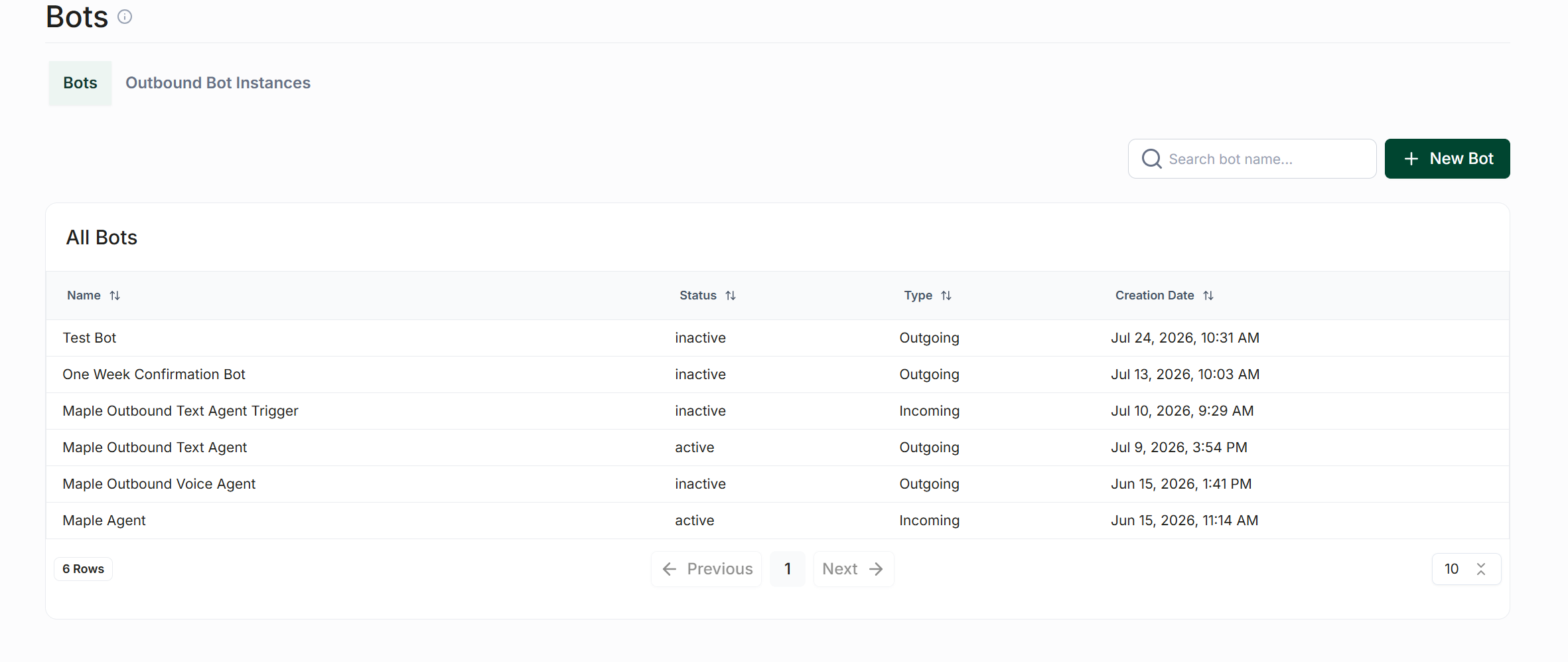
On the top right side of this page, click the New Conversation Bot button to initiate the setup process. The first step is to name your bot and optionally provide a description. After entering a name, click Create to proceed with the configuration. This guide will clarify the purpose of each input and selection. We have pre-selected sensible default values, so if you are uncertain, you may leave most of these settings unchanged.
Initial Setup
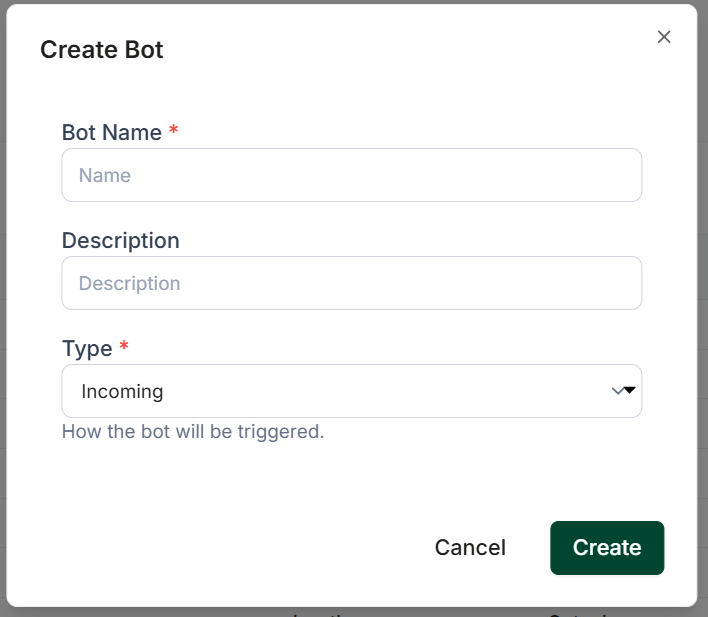
Once you have created your bot, you will be met with a popup showing three options:
Bot Name: This is the name that your bot will be given within Carrick
Description: This is an optional description you can enter to describe the purpose of your bot
Type: This is where you will decide if your bot will be triggered by incoming messages, or send outgoing messages after being activated in a step within another bot or directly within a chat
General Settings
These can be found by clicking into the "Configuration" button on the main screen once you create your first step
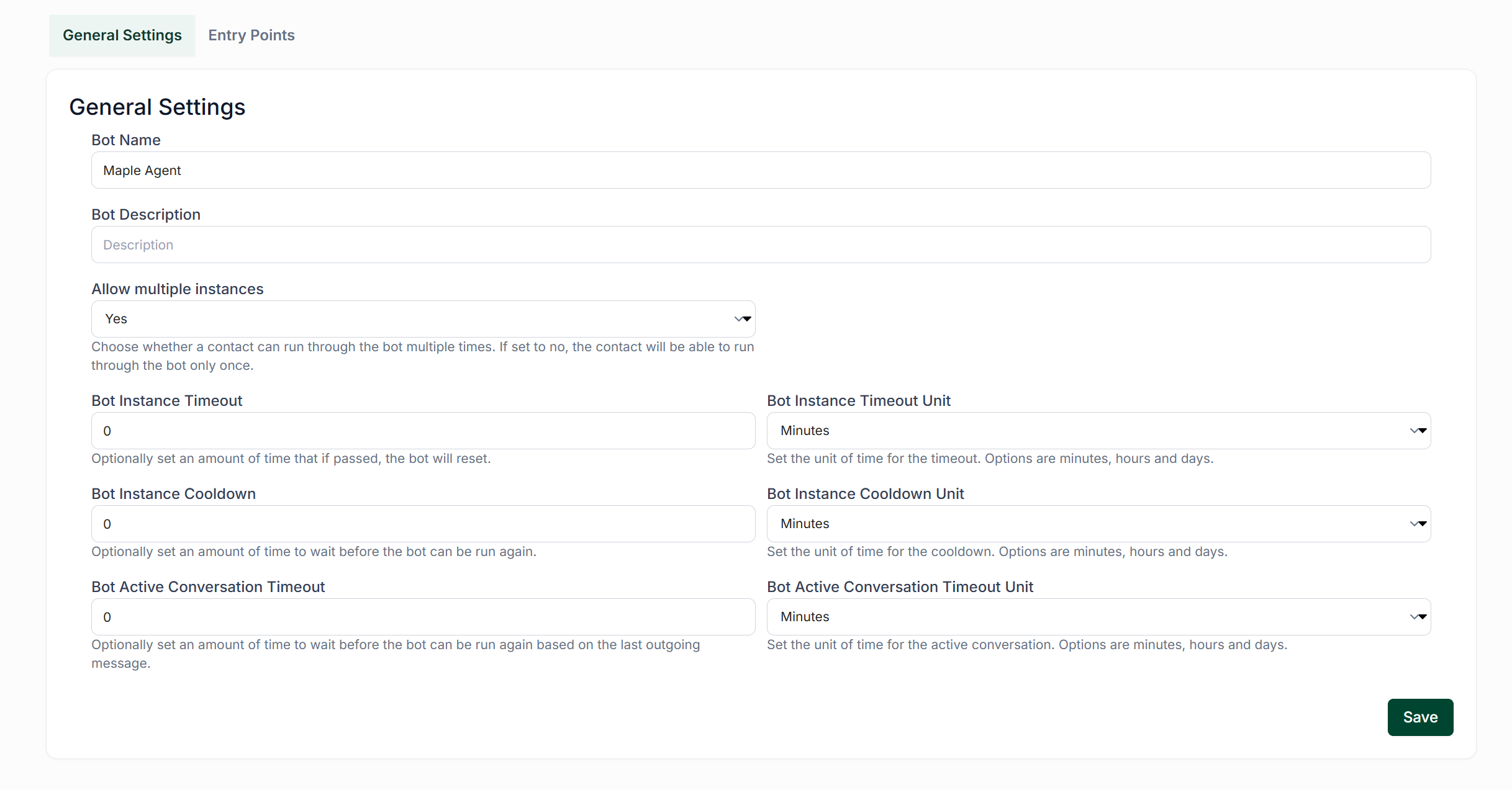
Allow Multiple Instances: Setting this option to “Yes” will enable the bot to trigger on multiple contacts simultaneously. If you prefer the bot to handle only one conversation at a time, select “No”.
Bot Timeout: If the “Reset Bot if Inactive” option is set to “Yes”, this field determines how long it will be before the bot resets itself.
Bot Timeout Unit: The unit of time your timeout entry will be measured in.
Bot Instance Cooldown: This setting defines the duration a contact must wait before initiating another bot conversation.
Bot Instance Cooldown Unit: Choose from seconds, minutes, hours, or days for the Bot Instance Cooldown duration.
Bot Active Conversation Timeout: The amount of time the bot must wait before it can be run again from the start of it's steps based on it's last outgoing message.
Bot Active Conversation Timeout Unit: The unit of time your conversation timeout will be measured in.
Finalizing the Setup
Once you have completed the configuration of the conversation bot settings, click Save to store your changes. To initiate the conversation bot, you must first create a Step. For further information, please refer to our guide on Conversation Bot Steps