
Adding your Contacts
This document outlines the various methods available for adding contacts to Carrick Health. Whether you are managing a small group or a large audience, Carrick provides efficient options to streamline the process of contact management.
Methods for Adding Contacts
Manual Entry
To manually enter your contact information into Carrick, follow these steps:
Navigate to the Contacts page via the sidebar.
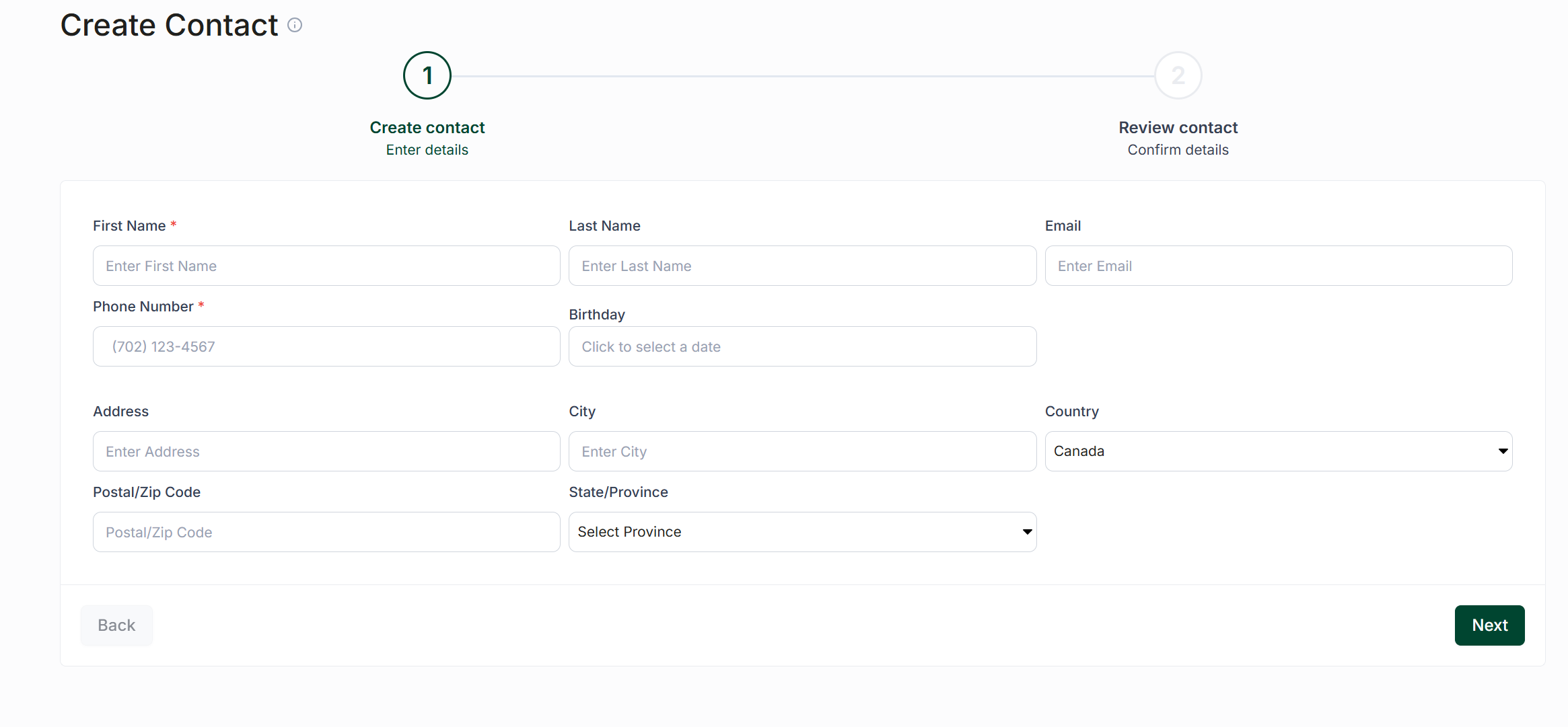
Click the Create Contact button.
Fill in your contact’s information in the provided fields. The only required fields are First Name and Phone Number, but you are encouraged to complete additional fields as well.
Once all information is filled out, click Next.
Review and confirm the details of the contact. If everything is correct, click Finish to create the contact.
Contact Import
With our Contact Importer, you can upload a CSV file containing your contact list. This feature allows you to match fields and include a tags column, which will automatically create and apply tags to the corresponding contacts. For more information, please refer to the knowledge base article on the Contact Importer
Appointment Import
When importing appointments, any patients listed in your CSV file who are not already in Carrick will be automatically saved based on their full name and phone number.
For more information on importing appointments, see the following article: Importing Appointments
API Integration
Carrick's REST API allows you to batch-create contacts, tags, and custom fields, making it easy to migrate from an existing database.
Mobile App
On the mobile app, you can access contacts stored locally on your device. This feature allows you to search for and select all the contacts you wish to add to Carrick.
Sign Up Form for Website
Contact Signup Pages are embeddable forms that can be placed on your website, allowing contacts to sign up directly into your Carrick account. You can customize the signup page with your logo and brand colors.
Advertise Number
Contacts will be able to text you and be added to your list. You can utilize keywords to have them automatically assigned to a tag for easier broadcasting, and provide them with a confirmation message.
By utilizing these methods, you can efficiently manage your contacts within Carrick Health, ensuring a streamlined communication process.